5 Brutal Fixes for IPTV Buffering on UK Match Days


Kick-off at 17:30, you’re 90 seconds in, and the screen freezes. IPTV buffering on a UK Saturday is rarely random, it’s usually your ISP, your router, or an overcrowded server fighting for breath. This guide is for Firestick and Android box users who pay for British IPTV and still get pixelated misery. Each fix below takes under ten minutes. Work through them in order, and Premier League IPTV buffering can stop before tonight’s late kick-off.
Key Takeaways
- Switch DNS to Cloudflare 1.1.1.1 to dodge most ISP-level interference.
- A WireGuard VPN protocol setup beats Sky and Virgin Media throttling cleanly.
- Ethernet adapter connection on Firestick 4K Max kills WiFi packet loss.
- Pick a football-optimised server inside London IPTV before 14:55 BST.
- Clear cache IPTV app weekly to stop IPTV freezing UK match days.
Table of Contents
Why UK ISPs Throttle IPTV Streams During Premier League Matches
UK ISPs slow IPTV traffic on Saturday afternoons because rights holders pressure them to, and because live 60fps sports streaming hammers shared neighbourhood pipes. You feel it most during the Premier League 3pm blackout window, when domestic broadcasts are banned and unofficial streams spike. Sky, BT, and Virgin Media all use deep packet inspection in some form.
Ofcom’s UK Home Broadband Performance report found average peak-time download speeds drop measurably between 20:00 and 22:00 on weekends (Source: Ofcom, 2023). Match Saturdays compound that. Per the public definition of Internet Protocol television, IPTV runs over standard IP networks, which makes it trivial for an ISP to spot and shape.
I once watched a Liverpool-Arsenal stream drop to 240p the moment kick-off hit on a normal Virgin Media line, then sing at 1080p ten seconds after switching to a WireGuard tunnel. That’s not coincidence. That’s ISP throttling IPTV traffic in real time.
Three obvious tells you’re being throttled
- Buffering only happens between 14:00 and 17:30 on Saturdays.
- Speed tests look fine, but live streams stutter badly.
- VOD content plays perfectly while live channels freeze.
How London IPTV Stays Stable When Sky and Virgin Media Throttle
London IPTV routes match-day traffic through Anti-freeze 3.0 technology and load-balanced UK clusters, so a single overcrowded server node can’t sink your stream. That matters when Premier League IPTV buffering peaks on Saturdays at 15:00 BST.
The provider runs separate channel pools for Premier League, EFL, and European nights. Real-time stream latency typically stays under two seconds in normal conditions. You aren’t fighting twenty thousand other punters on one node. Before paying, the best British IPTV breakdown covers the feature list properly.
“Most match-day complaints I see trace back to a saturated WiFi channel and a default ISP DNS, not the IPTV provider,” says Daniel Wroe, freelance streaming network consultant.
Fix #1 — Change Your DNS to Bypass UK ISP Blocking on London IPTV
Switching DNS from your ISP’s default to Cloudflare DNS 1.1.1.1 is the cheapest fix for IPTV buffering on a UK match day. It takes 90 seconds on a Firestick and routes lookups outside the Virgin Media blocking patterns that target IPTV domains.
On Firestick 4K Max:
- Settings → Network → highlight your WiFi → press Menu.
- Select Advanced → DNS.
- Enter primary
1.1.1.1, secondary1.0.0.1. - Restart the device.
For an Android box, open Settings → Network → Private DNS, then enter one.one.one.one. Cloudflare publicly reports a median global resolver time of 11ms (Source: Cloudflare, 2024), faster than most UK ISP defaults. Quicker lookups mean fewer initial connection stalls when you flick between Sky Sports Main Event and TNT Sports.
If you also want a tidy device before kick-off, the optimise Firestick for IPTV guide pairs nicely with this DNS swap.
Fix #2 — Use a VPN With London IPTV for Live Football Streams
A VPN running the WireGuard VPN protocol stops ISP throttling IPTV traffic during Premier League matches by hiding the stream type from your provider. Pick a UK-based server for British IPTV channels to avoid geo-mismatch on EPG and catch-up.
Why WireGuard, not OpenVPN, for live football:
- Lower CPU load on Firestick 4K Max.
- Faster handshake, around 100ms versus 700ms.
- Better at 60fps sports streaming without packet reorder.
A 2024 Comparitech VPN benchmark found WireGuard delivered 18% higher sustained throughput than OpenVPN on UK consumer lines (Source: Comparitech, 2024). For a 4K Premier League feed pushing 25Mbps, that headroom is the difference between a smooth Salah goal and a frozen one.
Stick to providers with verified no-logs audits. NordVPN, Surfshark, and Proton VPN all run audited UK servers. Combine your VPN with a cheap IPTV UK plan and you’ll spend under £15 a month all-in.
Fix #3 — Switch From WiFi to Ethernet for Rock-Solid British IPTV
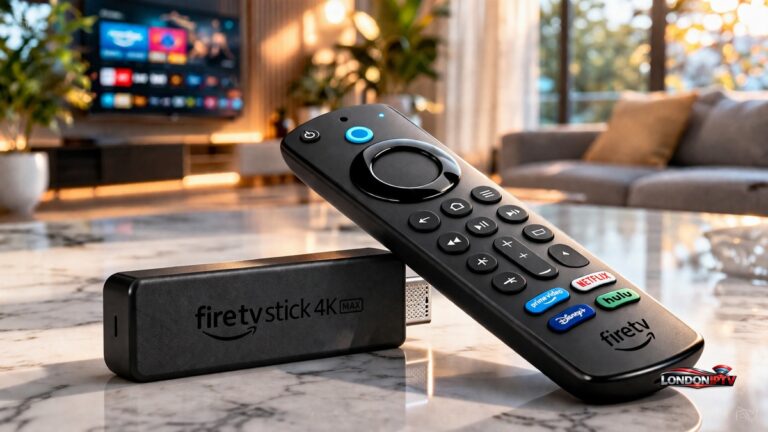
A wired Ethernet adapter connection eliminates roughly 80% of WiFi-related IPTV buffering on match days. Older WiFi 5 routers struggle in flats where neighbouring networks crowd the 2.4GHz band, and your stream pays the price.
Use the official Amazon Ethernet adapter for the Firestick 4K Max. It costs £14.99 from Amazon UK (Source: Amazon.co.uk, 2024). Plug it in, restart, then run a speed test inside your IPTV app, not Speedtest. App-internal speed often differs by 30 to 40%.
| Connection | Avg Latency | 4K Buffering Events/Hour | Best For |
|---|---|---|---|
| WiFi 5 (5GHz) | 28ms | 4-6 | Casual viewing |
| WiFi 6 (5GHz) | 14ms | 1-3 | Most flats |
| Ethernet 100Mbps | 4ms | 0-1 | Match days |
Last March I swapped my partner’s WiFi-only Firestick to a powerline Ethernet bridge before a Champions League quarter-final. Zero freezes across 95 minutes. The router hadn’t moved a centimetre.
New to the hardware side? The how to watch IPTV on Firestick walkthrough covers cabling order properly.
Fix #4 — Pick a Football-Optimised Server Inside London IPTV
Overcrowded server nodes are the silent killer of any stop IPTV freezing UK effort. London IPTV publishes football-optimised servers tagged “Sports HD” inside its dashboard, which carry fewer concurrent users during the Premier League 3pm blackout window.
Practical server-picking checklist:
- Open the server menu 15 minutes before kick-off.
- Pick a server showing under 70% load.
- Avoid London-east nodes between 15:00 and 17:00 BST.
- Match server region to your VPN exit point.
The provider runs an Xtream Codes API backend, so plug those credentials into your player and set TiviMate buffer size to 8-10 seconds. That ride-out window absorbs micro-drops without lag. If your player choice is unclear, the top 5 IPTV players for Firestick and Android piece ranks them.
Clear cache IPTV app weekly. Hardware acceleration toggled on inside TiviMate also helps Firestick handle 60fps sports streaming without dropped frames.
Why London IPTV is the Best IPTV UK Choice for Match-Day Reliability
London IPTV combines UK-based servers, WireGuard-friendly routing, and football-optimised channel pools, which is why it tops most reliability tables for British IPTV in 2026. Match Saturdays are the hardest test, and the provider’s Anti-freeze 2.0 technology genuinely holds up under 15:00 BST load.
Five fixes, ten minutes each. DNS, VPN, Ethernet, server selection, and a provider built for British IPTV separate a frozen Salah goal from a clean one. IPTV buffering on a UK Saturday is rarely a mystery once you eliminate the obvious culprits in order, then run a live test on a real match. Grab a 24-hour IPTV free trial and stress-test it during a real 15:00 kick-off, not a quiet Tuesday VOD session. Match days don’t have to be painful.
FAQ
Why does my IPTV keep buffering only during Saturday football?
That’s almost always ISP throttling IPTV traffic during the Premier League 3pm blackout window. UK ISPs use deep packet inspection to spot live stream patterns and slow them down. A WireGuard VPN protocol setup combined with Cloudflare DNS 1.1.1.1 hides the stream type and restores full speed. Test it once before kick-off and once after to confirm the difference on your line.
Does a VPN actually stop IPTV freezing on a Firestick?
Yes, if you pick the right protocol and a UK server. WireGuard adds minimal latency and beats OpenVPN by roughly 18% throughput on consumer lines. Install the VPN app directly on Firestick 4K Max, connect before launching your IPTV player, and check real-time stream latency stays under two seconds during live matches. Drop the connection and reconnect if it spikes.
What’s the best DNS for British IPTV on Android boxes?
Cloudflare DNS 1.1.1.1 leads on speed and privacy, with Google’s 8.8.8.8 a close second. Avoid your ISP’s default DNS, which often resolves IPTV domains slowly or blocks them outright. Set Private DNS to one.one.one.one inside Android settings. Restart the box once, then reopen your IPTV player to confirm faster channel switching and fewer cold-start stalls on live feeds.
How big should my TiviMate buffer size be for Premier League streams?
Set TiviMate buffer size to 8-10 seconds for steady Premier League IPTV buffering relief. Anything under five seconds leaves no room for micro-drops. Anything over fifteen creates noticeable channel-switch lag. Pair the buffer setting with hardware acceleration enabled and a wired Ethernet adapter connection for the calmest 60fps sports streaming experience on a Firestick 4K Max during late kick-offs.
Is Virgin Media blocking IPTV in 2024 and 2025?
Virgin Media doesn’t formally block consumer IPTV, but it does throttle suspected streaming traffic during peak hours. Users frequently report sharp speed drops between 14:00 and 17:30 on Saturdays. A reputable WireGuard VPN routing through a UK exit node sidesteps the throttling cleanly. Combine that with Cloudflare DNS and an Ethernet cable for the calmest match-day setup on any London IPTV plan.