
Anti-Freeze V3 servers
A load-balanced network spreads viewers across servers automatically, so streams stay smooth on the busiest evenings.

Premium British IPTV
London IPTV brings live TV and an on-demand library to your telly, phone and laptop in 4K, FHD and HD – with Anti-Freeze V3 servers, a full TV guide and friendly UK support. No dish, no contract.
Why London IPTV
Everything you need from British IPTV for smooth, stress-free viewing – and nothing you don't.
A load-balanced network spreads viewers across servers automatically, so streams stay smooth on the busiest evenings.
Sharp pictures on any size of screen, with adaptive streams that adjust gracefully if your broadband dips.
See what's on now and next, plan your evening and jump straight to the programme you want.
Your login arrives within five minutes. Pop it into your favourite app and you're watching before the kettle's boiled.
Behind those four promises is a simple idea: TV should just work. You shouldn't need to understand servers, codecs or router settings to enjoy an evening in front of the telly. We look after the technical side – the servers, the guide and the streams – so all you need to do is pick a channel and press play. And if something ever does go wrong, a real person on our UK team is a WhatsApp message away.
Pricing Plans
Every IPTV subscription includes the same features. The longer you go, the more you save.
£25
£8.33 a month
£35
£5.83 a month · save 30%
£65
£5.42 a month · save 35%
£110
£4.58 a month · save 45%
Prices in GBP. One connection per plan. Not sure which to pick? Read our subscription checklist first.
Films & box sets





Alongside live TV, every plan includes an on-demand library of films and series, organised into clear categories with a search bar. Start a film from the beginning, pause it when the doorbell goes and pick up exactly where you left off. Whether it's a lazy Sunday binge, a family film night or a documentary before bed, there's always something worth watching – no extra rentals, no separate apps.
How it works
No technical know-how needed. If you can use a phone, you can do this.
Pick 3, 6, 12 or 24 months above, or message us first for a quick trial so you can test it on your own telly.
We send your details by WhatsApp and email within five minutes, along with a simple guide for your device.
Open your app, enter your details and you're in. Stuck? We'll talk you through it, step by step.
Compatible devices
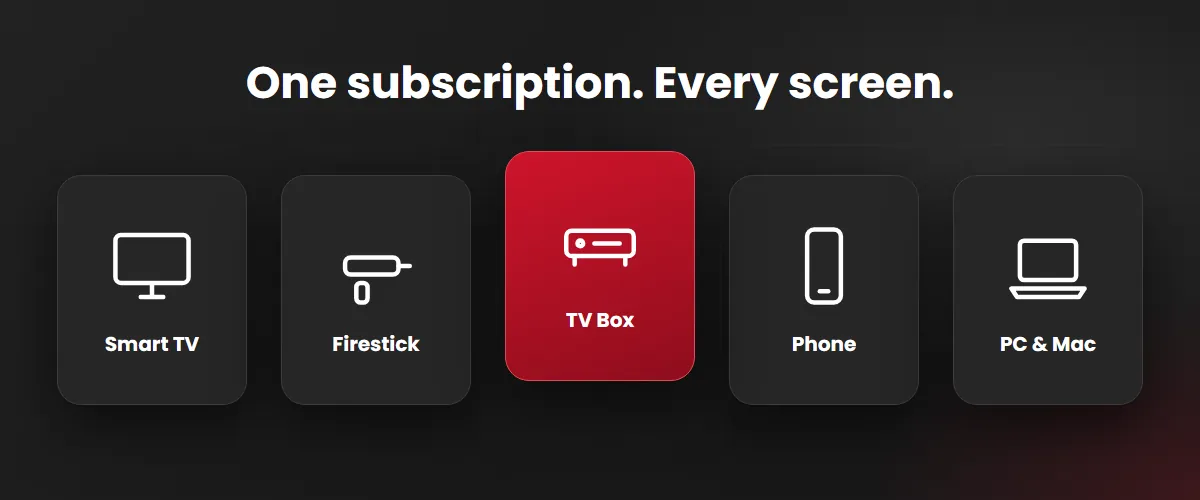
Use it on the big telly in the lounge, a tablet in the kitchen or your phone on the train.
Step-by-step guides: Firestick · Android TV box · Android phone · Mac · Windows
IPTV stands for Internet Protocol Television. Instead of coming through a satellite dish or an aerial, your TV arrives over your broadband – the same connection you already use for streaming films and video calls.
An app on your device connects to our servers, which send live TV and on-demand content as a steady stream of data. Your app turns that data back into pictures and sound, and the TV guide shows you what's on.
The upshot? No dish on the wall, no engineer visits and no long contract. If you've got decent broadband and a smart TV, streaming stick or phone, you've already got everything you need.
It's the same basic technology behind most modern TV services in Britain. If you'd like the full picture, our beginner's guide explains how an IPTV service works behind the scenes.
Your app picks the best quality your broadband and screen can handle.
3840 × 2160 pixels – four times the detail of Full HD. Ideal for 55-inch screens and above, especially if you sit close. Needs a 4K TV or device and around 25 Mbps.
1920 × 1080 pixels. Still razor sharp on most living-room tellies and the sweet spot for everyday viewing. Around 10–15 Mbps does the job.
1280 × 720 pixels. Great on phones, tablets and smaller TVs, and perfect when you're on mobile data or a slower connection.
Not sure your broadband is up to it? Check our guide to IPTV internet speed.
Reliability
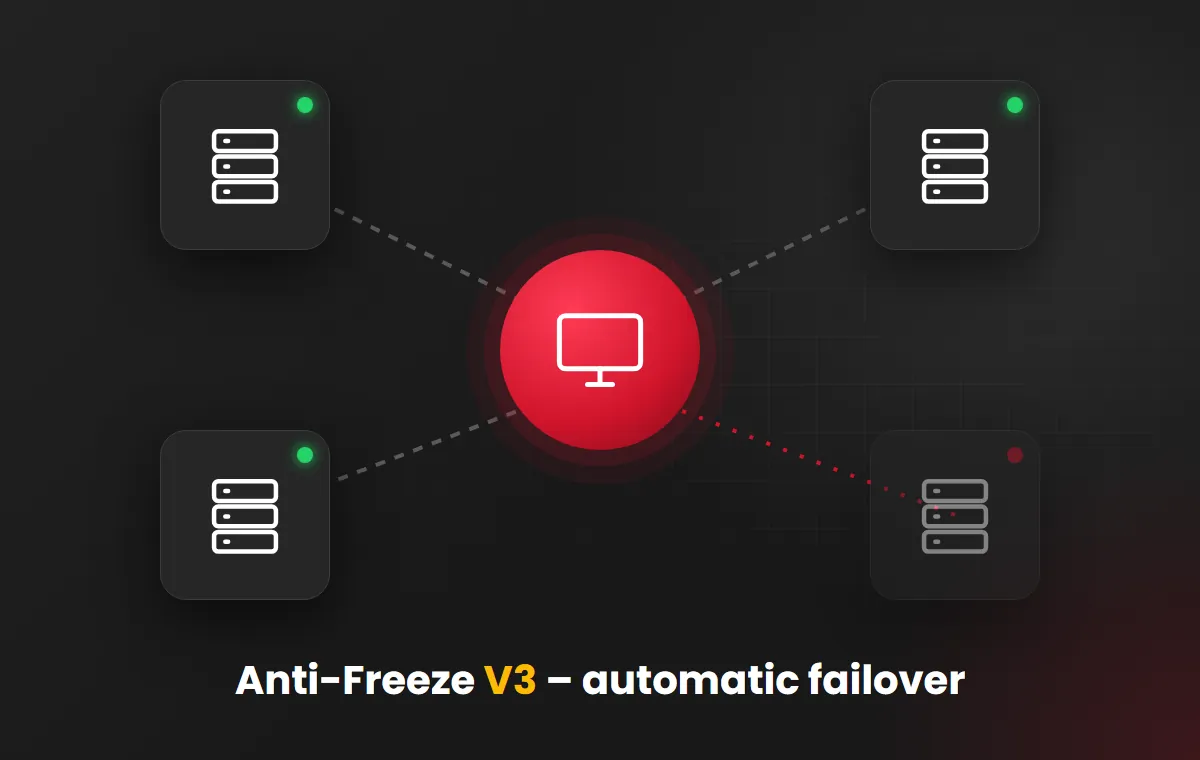
Freezing usually happens when too many people hit one server at once. Anti-Freeze V3 is our answer to that.
Viewers are spread across a pool of servers, so no single machine gets swamped.
If a server has a wobble, your stream switches to a healthy one – usually without you noticing.
When your broadband slows, the picture steps down a notch instead of stopping altogether.
Our team watches the network day and night and acts before small issues become big ones.
Your home setup matters too – a wired connection and a well-placed router make a huge difference. Our Firestick optimisation tips show you how.
EPG guide
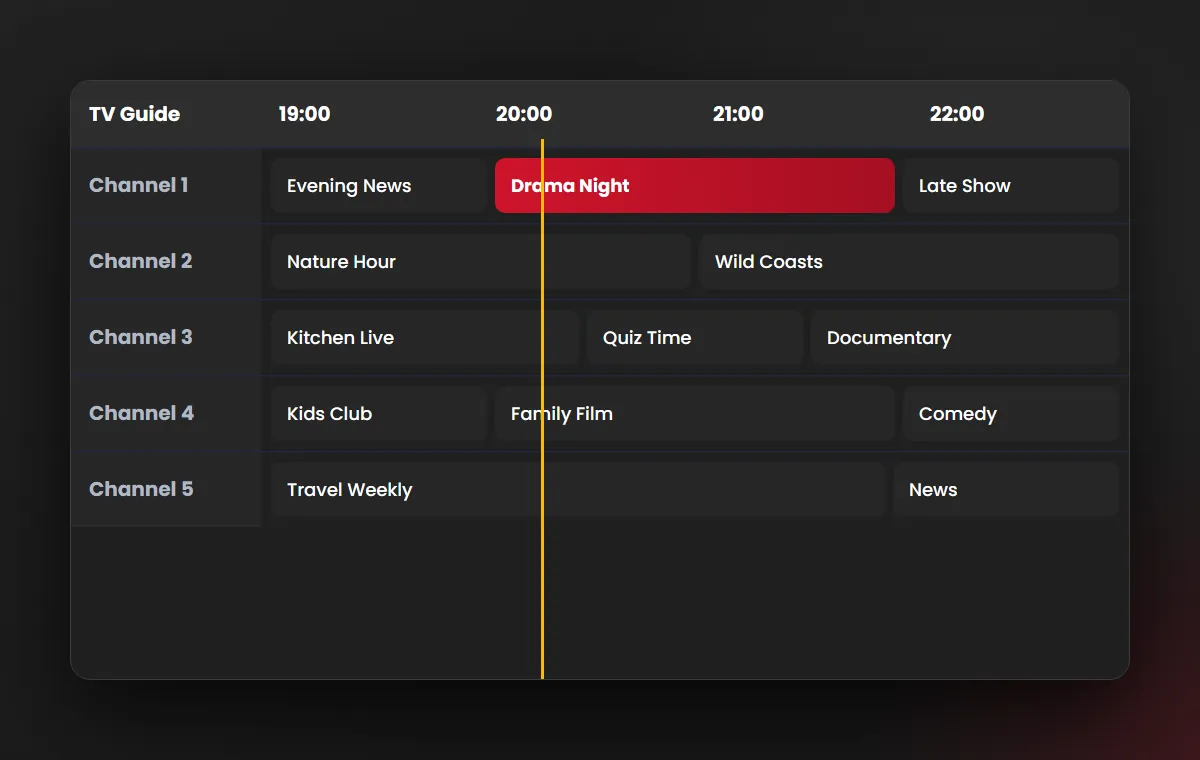
The EPG (Electronic Programme Guide) is the grid that shows what's on now, what's next and what's on later in the week – just like the guide on a traditional set-top box.
Scroll through, spot something you fancy and press OK to jump straight there.
Set reminders, mark favourites and build your own lists so the channels you watch most are always at the top.
The guide fills in by itself when you sign in with your username and password.
Guide gone blank? It's usually a quick fix – see what to do when channels or the guide disappear.
How streaming over broadband stacks up against the traditional options.
| IPTV | Cable | Satellite | |
|---|---|---|---|
| Installation | None – just an app | Engineer visit | Dish and engineer |
| Contract | No contract | Usually 18–24 months | Usually 18–24 months |
| Multi-room | Any compatible device | Extra boxes and fees | Extra boxes and fees |
| Weather | Unaffected | Unaffected | Heavy rain can disrupt |
| Watch on the go | Phone, tablet, laptop | Limited | Limited |
| Moving house | Take it with you | Depends on coverage | Dish reinstallation |
Want the detail? Read our full IPTV vs cable vs satellite comparison.
Most UK homes already have more than enough.
| Quality | Minimum per screen | Recommended |
|---|---|---|
| HD (720p) | 5 Mbps | 8 Mbps |
| FHD (1080p) | 10 Mbps | 15 Mbps |
| 4K (Ultra HD) | 20 Mbps | 25 Mbps+ |
Remember these figures are per screen. If two of you are watching in different rooms while someone else is gaming, add them together. Speed isn't everything, though – a stable connection matters just as much, which is why plugging in with a cable beats Wi-Fi nearly every time.
Full breakdown: how many Mbps you really need for streaming.
If any of these sound like you, internet TV will make life easier.
No dish to drill into the wall and no landlord permission needed. When your tenancy ends, simply unplug your stick and take it with you.
Watch in the lounge while the kids use a tablet upstairs. Favourites lists and parental controls in your app keep everyone happy.
Fed up with 24-month deals and price rises every spring? Pay for the months you want, then decide whether to carry on.
Moving house is stressful enough. With no installation, your TV comes with you and works the moment the broadband's on.
Not sure it's right for your household? That's exactly what the free 24-hour trial is for. Try it on the telly you actually use, at the time you usually watch, and see how it fits around your evenings. Most people know within the first hour whether internet TV suits them – and there's nothing to cancel if it doesn't.
Small changes that make a big difference, straight from our support team.
For device-specific tweaks, our troubleshooting hub has a guide for every common problem.
Every plan includes one connection – one screen watching at a time. Need more? Just ask.
You can install your app on as many devices as you like and switch between them freely. If two or more people want to watch different things at the same time, message us and we'll set up a multi-screen option that suits your household.
Each extra screen needs its own share of broadband, so check our speed guide to make sure your connection can keep up.
Checklist
That's the whole list. No dish, no aerial, no engineer and no contract.
Around 15 Mbps for Full HD or 25 Mbps for 4K, per screen.
A smart TV, Firestick, Android TV box, phone, tablet or computer.
We'll recommend the best free player for your device.
Sent to you by email and WhatsApp within five minutes of choosing a plan.
Glossary
The handful of terms you'll come across, in plain English.
Want to go deeper? Our guide to how internet TV works covers the basics in five minutes.
Installation
Clear, step-by-step walkthroughs written by our support team.
12 tweaks for the smoothest picture from your stick.
View guide →
The best players compared, plus a simple 7-step setup.
View guide →
Watch at home or on the move, on Wi-Fi or 5G.
View guide →
VLC, PotPlayer, MyIPTV and more – set up in five minutes.
View guide →Also see our Mac and IPTV Smarters Pro guides, or every device on the installation page.
There are a lot of services out there, and they're not all equal. Here's what to look for before you hand over any money.
For the full checklist, see what makes the best IPTV in the UK and our guide to spotting reliable IPTV providers.
We'd much rather you test us on your own telly, with your own broadband, than take our word for it.
Request an IPTV free trial and we'll set you up with 24 hours of full access. Use it properly: try it in the evening when networks are busiest, flick between a few channels, check the TV guide loads and test it on the device you'll actually use.
If it's not right for you, no hard feelings – there's nothing to cancel. Our guide on how to test an IPTV trial properly has a handy checklist to work through.
We take rights seriously, because a service that cuts corners is a service that disappears overnight.
London IPTV only distributes content we're permitted to provide. We don't advertise channels or events we don't carry, and we respond promptly to any notice from a rights holder.
If you believe something on our service infringes your rights, please get in touch through our copyright policy page and we'll look into it straight away.
Support
Most problems take minutes to fix. Here are the three our team sorts most often.
Usually a router restart, a playlist reload or a cache clear. Nine proven fixes inside.
Read the fix →Often just a stale cache or hidden groups. Get your full list back in ten minutes.
Read the fix →Fix the resolution, go wired and tune your buffer for smooth viewing.
Read the fix →We started in London, but our UK IPTV service works wherever you've got a decent broadband connection – from a flat in Croydon to a farmhouse in the Highlands, a terrace in Cardiff or a semi in Belfast.
As a British IPTV service, our support team is UK-based, so you'll be talking to people who know British broadband, British tellies and British routers. And because there's no dish or cable, moving house is easy: just take your device with you and carry on watching.
Whether you're in a busy city centre or a quiet village, the only thing that matters is a steady broadband connection. If you're unsure whether yours is up to the job, send us your postcode and broadband package and we'll give you an honest answer.
The things we'll always do – and the things we'll never do.
The price you see is the price you pay. No setup fees, no surprise add-ons and no automatic renewals sneaking up on you.
Try it first, ask as many questions as you like and buy only when you're ready. We'll never push you onto a longer plan.
We describe our service exactly as it is. If something isn't right for your setup, we'll tell you before you buy.
Our support doesn't stop once you've paid. Whether it's day one or month eleven, the same friendly UK team is here.
Guides
Everything you need to get the most from British IPTV – written in plain English by our support team.
FAQ
IPTV UK simply means television delivered over your broadband in the United Kingdom, rather than through a satellite dish, cable or aerial. You watch through an app on your smart TV, streaming stick, phone or computer.
Yes. London IPTV is a British IPTV service run from London, with UK-based support, prices in pounds and plans built for UK broadband and UK homes.
Setup is instant. Once you've chosen a plan, your login usually arrives within five minutes by WhatsApp and email, along with a simple guide for your device.
Amazon Firestick, Android TV boxes, Android phones and tablets, Samsung and LG smart TVs, Google TV, Apple TV, iPhone, iPad, Windows PCs, Macs and MAG boxes.
Around 10–15 Mbps per screen for Full HD and 25 Mbps for 4K. A wired connection gives the most stable picture.
It's our third-generation server technology. It spreads viewers across multiple servers, switches you to a healthy server if one has a problem and adapts picture quality to your connection, so streams stay smooth.
Yes. Every plan includes a full EPG guide showing what's on now and next, which loads automatically in most apps.
Yes. Message us on WhatsApp to request a free 24-hour trial so you can test the service on your own device and broadband.
No. You pay for 3, 6, 12 or 24 months up front and there's nothing to cancel at the end.
Each plan covers one connection at a time. If you'd like to watch on several screens at once, message us and we'll sort a multi-screen option.
No. You don't need a VPN to use London IPTV.
Popular choices include IPTV Smarters Pro, TiviMate and IBO Player. We'll recommend the best one for your device when we send your login.
Most issues are fixed in minutes with a restart or a playlist reload. Our troubleshooting guides cover the common ones, and our UK team is on hand 24/7.